

In the fast-changing world of digital technology, staying ahead means embracing and understanding changes. Moving to Google Analytics 4 (GA4) is a big change. But, with the right knowledge, you can make this move confidently. Below, we explain the steps for a successful move to GA4. This will help you make the transition smoothly and efficiently.
Step-by-Step Guide for Moving to GA4
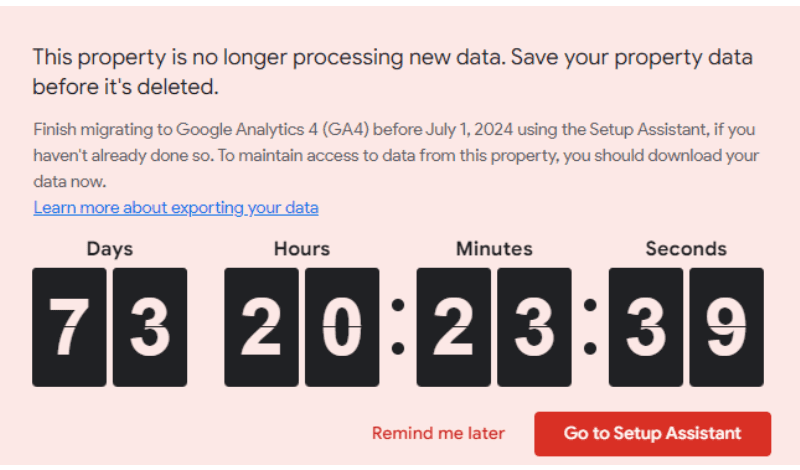

1. Starting Your GA4 Property Setup:
- Go to the Admin area in your current Google Analytics account.
- Choose the account and property you are moving from the dropdown lists.
- In the property column, click on “GA4 Setup Assistant.” This helps you create your GA4 property, an important first step.
2. Setting Up Data Streams:
- After setting up your GA4 property, set up data streams to collect data from your website, app, or both.
- In the GA4 property admin panel, pick “Data Streams” and select your platform. Add your website or app details as instructed. This starts the collection of user interaction data, which is key for making good decisions.
3. Creating Tracking Events:
- GA4 lets you track events in a flexible way, giving you a deeper look at user interactions.
- Go to “Events” in the GA4 property to see events that are collected automatically. To track specific interactions important to your business, use the “Create Event” option.
4. Moving UA Historical Data:
- Historical data is valuable. Before moving, export your Universal Analytics reports.
- In your UA account, go to reports and export your data manually or use the Google Analytics Data Export API for bigger needs. This keeps your valuable insights safe.
5. Getting to Know the GA4 Interface:
- Take time to explore the GA4 interface. Knowing your way around, understanding the reports, and using new features will help you get the most out of GA4.
- Use the “Insights” and “Analysis” areas to learn how to make custom reports and find useful information.
6. Checking and Adding GA4 Tracking Code:
- Make sure the GA4 tracking code is added correctly to your site. You might need to work with your web team or use Google Tag Manager for easy integration.
- Check regularly to make sure your GA4 property is collecting data correctly.
7. Looking at Privacy Settings and Following Rules:
- With a focus on privacy and data protection, check and adjust your GA4 privacy settings. Make sure you follow laws like GDPR or CCPA. This shows you care about user privacy.
Ready for the Future
Moving to Google Analytics 4 is more than just changing analytics platforms. It is a step towards better understanding user behavior and getting ready for the future of digital analytics. By following these steps, you are not just preparing for a change. You are building a strong base for ongoing success in a world driven by data.
Change, especially big ones like this, can seem scary. But, with the right preparation and a clear guide, we believe you can move to GA4 smoothly and keep your analytics strong and insightful.

